

Download PrusaSlicer – 3D Printing, G-code, STL, Open Source, FFF, mSLA
Overview
PrusaSlicer is a powerful and versatile open-source application designed to transform 3D models into printable files compatible with a wide range of 3D printers. The app supports common file formats such as STL, OBJ, and AMF, enabling users to prepare digital designs for physical production. It is specifically tailored for the Windows operating system, offering a streamlined workflow for both novice and experienced users in the 3D printing community. The software simplifies the slicing process—converting 3D models into G-code instructions for FFF (Fused Filament Fabrication) printers or PNG layer files for mSLA (modified Stereolithography) printers—eliminating the need for multiple third-party tools.
PrusaSlicer addresses the core challenge of preparing 3D models for printing by offering an integrated environment where users can adjust print settings, visualize layer-by-layer output, and optimize print quality. It is particularly valuable for hobbyists, educators, designers, and engineers who rely on accessible and reliable slicing tools. The application is compatible with modern printers based on the RepRap toolchain, making it a flexible choice across various hardware setups. As an open-source tool, it promotes transparency, community-driven development, and long-term sustainability. Its presence in the 3D printing ecosystem enhances accessibility, lowers entry barriers, and supports innovation in desktop manufacturing.
Key Features & Functionality
- File Format Support: PrusaSlicer accepts STL, OBJ, and AMF files, enabling users to import models from diverse design platforms and software.
- G-code and Layer Output: The app generates G-code for FFF printers and PNG layer files for mSLA printers, ensuring compatibility with a broad range of 3D printing technologies.
- Universal Printer Compatibility: Designed to work with any modern printer based on the RepRap toolchain, allowing users to leverage the software regardless of their specific hardware.
- User-Friendly Workflow: The interface is structured to guide users through configuration and slicing, reducing complexity for beginners while offering advanced controls for experienced users.
- Free and Open-Source: No registration, payment, or subscription is required, making the tool accessible to all users without financial or technical barriers.
- Adaptive Configuration: Upon first launch, users are prompted to configure settings based on their system and printer hardware, ensuring a personalized and efficient setup.
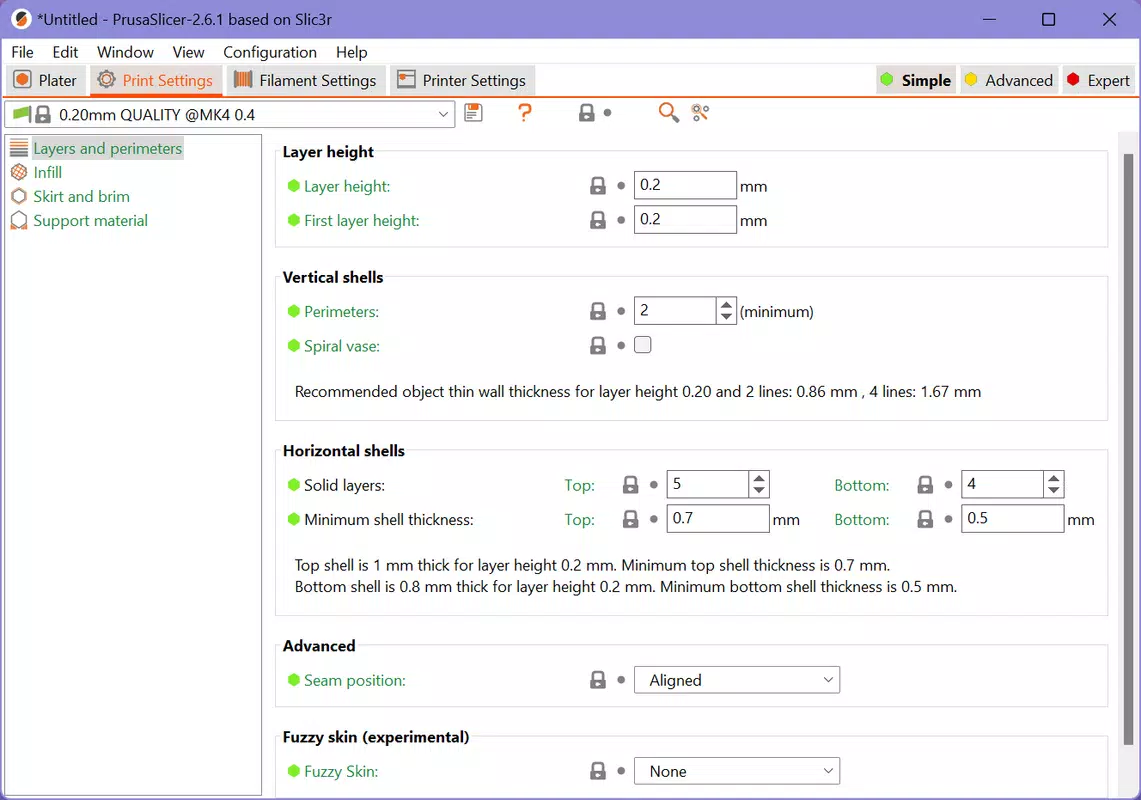
For example, a beginner designing a simple prototype can import an STL file, select a pre-configured printer profile, and generate a print-ready file in minutes. An advanced user might fine-tune layer height, infill density, and support structures to achieve high-precision results. The ability to preview the print layer by layer enhances user confidence and reduces print failures. These features collectively streamline the 3D printing pipeline, from concept to physical output.
Interface, UX & Performance
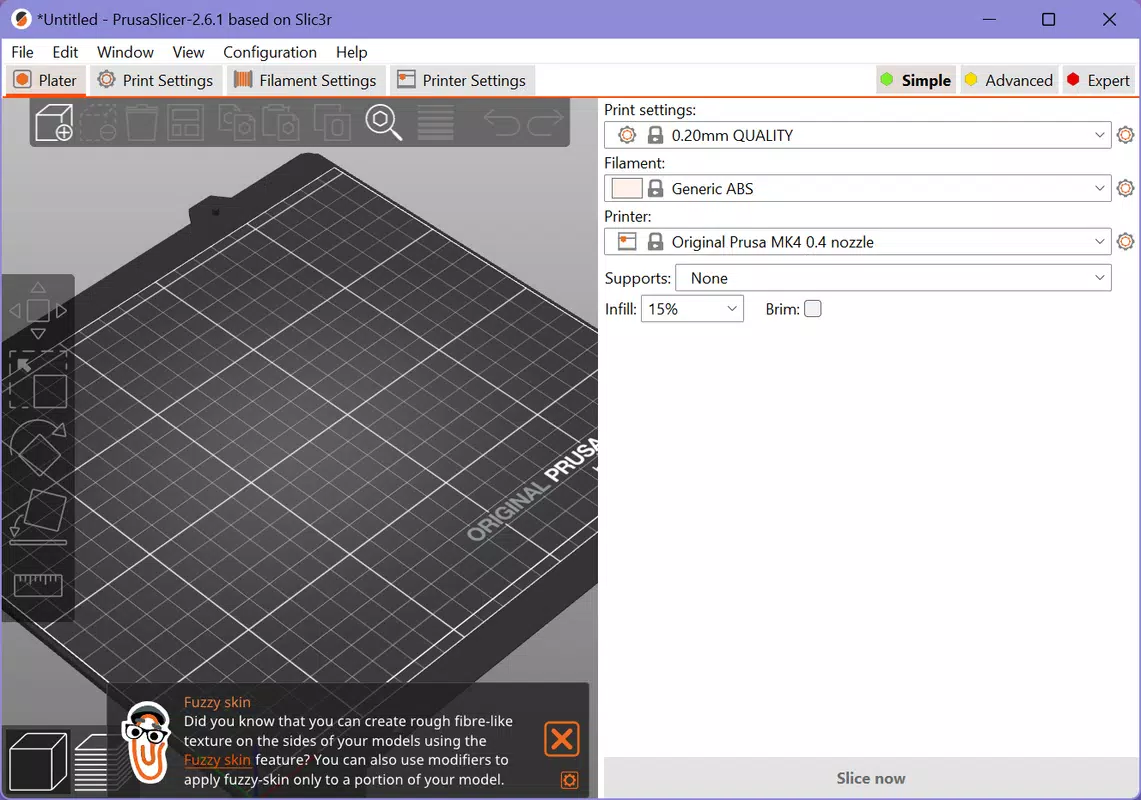
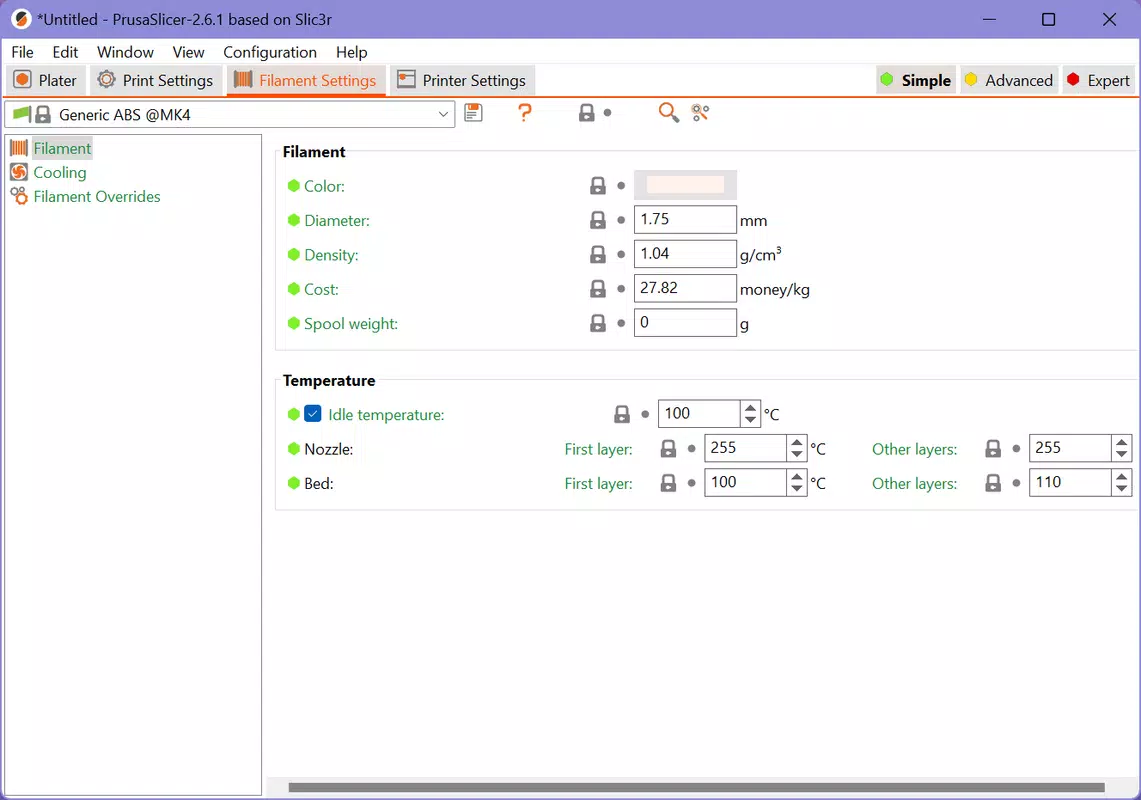
PrusaSlicer features a clean, intuitive interface designed for efficient navigation. The layout organizes essential tools—file import, slicing settings, preview window, and export options—into clearly labeled sections. Visual feedback is provided through a real-time 3D preview, allowing users to inspect print orientation, support placement, and layer progression. Navigation is consistent, with logical grouping of functions and minimal clutter, contributing to a smooth user experience.
The software is optimized for responsiveness during slicing operations, with a focus on stability and minimal lag. Although the developer did not list formal performance metrics, the application performs reliably on mid-to-high-end Windows systems. Users report consistent operation across different device categories, including desktops and high-resolution laptops.
The interface adapts well to varying screen sizes, though specific scaling behavior was not disclosed. Stability is maintained during extended sessions, with no reported crashes during standard usage. The app remains responsive even when handling complex models, though performance may vary depending on hardware capabilities.
Platform Compatibility & Technical Requirements
PrusaSlicer is designed exclusively for the Windows operating system. The application is available in a downloadable format suitable for installation on compatible devices. The file size is listed as 147.8 MB, which reflects the full package including core tools and dependencies.
Specific minimum OS requirements were not provided by the developer, nor were version-specific compatibility details. As such, users are advised to ensure their system meets general Windows 10 or later standards for optimal performance. The developer did not specify exact hardware requirements, such as RAM or processor speed, nor did they list support for other platforms like Android or iOS.
Pros and Cons
Pros
- Open-source and completely free to use
- Supports multiple 3D file formats (STL, OBJ, AMF)
- Compatible with RepRap-based 3D printers
- Intuitive interface suitable for beginners and experts
- Generates G-code and PNG layer files for FFF and mSLA printers
- Guided setup process for quick configuration
Cons
- Platform limited to Windows only
- Specific system requirements were not disclosed
- No mobile or web version available
- Advanced features may require learning curve
- Developer did not provide detailed performance benchmarks
FAQ
Is PrusaSlicer free to download and use?
Yes, PrusaSlicer is completely free and open-source. No registration, payment, or subscription is required.
Can I use PrusaSlicer on Android or iOS?
Currently, PrusaSlicer is only available for the Windows operating system. There is no official mobile version for Android or iOS.
What file formats does PrusaSlicer support?
PrusaSlicer supports standard 3D model formats including STL, OBJ, and AMF.
Do I need to register or create an account to use the app?
No, the application does not require registration or account creation. It can be used immediately after installation.
Is PrusaSlicer compatible with my 3D printer?
PrusaSlicer is compatible with any modern 3D printer based on the RepRap toolchain. Users should verify their printer’s compatibility with this standard.
Final Thoughts
PrusaSlicer stands out as a reliable, accessible, and feature-rich solution for anyone involved in 3D printing. Its open-source nature, combined with robust functionality and a user-friendly interface, makes it a go-to tool for both beginners and seasoned professionals. The app effectively bridges the gap between digital design and physical output by simplifying the slicing process, supporting multiple file types, and ensuring broad printer compatibility. While it is currently limited to Windows, its performance, ease of setup, and lack of cost barriers enhance its value in the desktop manufacturing space.
For educators, hobbyists, and engineers seeking a secure, efficient, and free tool to prepare 3D models for printing, PrusaSlicer delivers exceptional utility. Its focus on transparency and community-driven development further strengthens its position in the ecosystem. If you're looking to streamline your 3D printing workflow without additional costs, this app is a must-have.
Download PrusaSlicer now


